Which File Types Should You Send for Printing?
Our guide to choosing the right format to get the best possible print results.
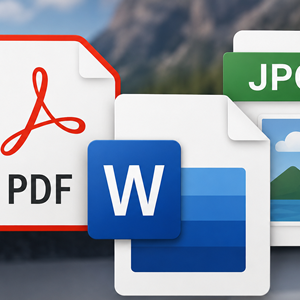
There are many ways to create your artwork or design — from professional software such as InDesign and Photoshop, to online platforms like Canva, or everyday programs such as Microsoft Word and PowerPoint.While it is possible to print directly from these files, it is usually safer, quicker and more reliable to supply a print-ready version instead. Below is a guide to the most common file types and how suitable they are for professional printing. Spoiler alert – PDFs are best!
PDFs are the safest option and our preferred file format for printing. Unlike original design files, which can change appearance between different computers or devices, PDFs preserve your layout exactly as intended. This means that what you see on your screen is far more likely to match what we see on our screen. Although PDFs can sometimes be edited with specialist software, their biggest advantage is consistency. You won’t need to worry about missing fonts, layout shifts or formatting changes between platforms. PDFs also support vector graphics and text, meaning they can be scaled to large sizes with minimal loss of quality. You can create a PDF from almost any design program, including Canva, making it the ideal choice for professional printing. You should always carefully check your newly created PDF before sending it to us. No file format is completely perfect, so we always recommend checking a proof before printing to ensure everything appears correctly.
We can print image files such as PNGs and JPGs, but they do have some limitations compared with PDFs. These file types are raster-based, which means they can become pixelated or blurry if they are enlarged or not saved at a high enough resolution. This is especially noticeable with small text, sharp lines and fine details.If PDFs are not available then for best results, image files should always be supplied at a high resolution and at the correct final print size wherever possible.
Word, PowerPoint and Excel are widely used and can be printed directly, but they are not always ideal for professional printing. Office documents can sometimes reformat between computers because page layouts are not fixed and fonts may be substituted automatically. This can lead to unexpected changes in spacing, alignment or text placement. To avoid these issues, we strongly recommend saving Office documents as PDFs before sending them for print. This helps ensure your design appears exactly as intended.
Canva has quickly become one of the most popular design platforms for both professionals and beginners. With its huge range of templates and professionally designed layouts, it’s an excellent tool for creating everything from business cards to brochures. Our Canva guide will walk you through the process of preparing and exporting your Canva design into a PDF for professional printing.If you are unsure we are here to help or to get your order underway. Or have a look at some of our other guides here.
If you have any questions then please get in contact, you can call or email us anytime.
ContactIf you'd like to get a quote or place an order then get in contact. We typically respond to quotes within the hour.
Get a quote