Printing from Canva
Our step-by-step guide to get the best files for printing from your design.
Canva has quickly become one of the most popular design platforms for both professionals and beginners. With its huge range of templates and professionally designed layouts, it’s an excellent tool for creating everything from business cards to brochures — and many of its best features are available for free.This guide will walk you through the process of preparing and exporting your Canva design for professional printing.
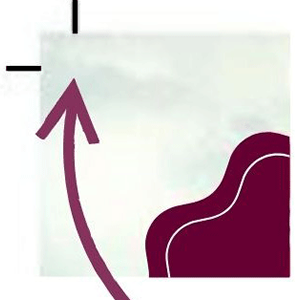
Before sending your artwork to print, we always recommend reviewing the PDF carefully. Your exported file should now include bleed and crop marks. See our Bleed guide for more information. Make sure that no important text or images are positioned too close to the edges of the page.Once everything looks correct, simply send us your PDF and we’ll take care of the rest.If you are unsure we are here to help or to get your order underway. Or have a look at some of our other guides here.
If you have any questions then please get in contact, you can call or email us anytime.
ContactIf you'd like to get a quote or place an order then get in contact. We typically respond to quotes within the hour.
Get a quote